
How do students access TalkCampus?
TalkCampus is a fully native app, not a mobile website dressed as an app. It runs on iOS, Android, web, and desktop. Students get in through institutional SSO or SAML where you enable it, or through direct sign-up flows you approve.
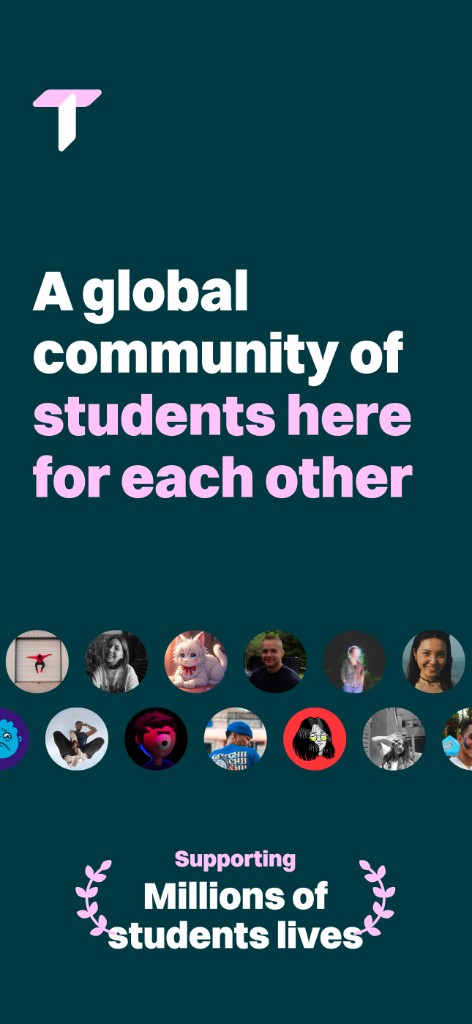
4
Platforms: iOS, Android, Web, Desktop
26+
Languages
SSO
Frictionless sign-up
24/7
Always available
Native app, not a web portal
Some student wellbeing tools are browser-first: fine on a laptop, awkward on a phone, and easy to miss when life gets loud. We ship true native shells on mobile and desktop, with full experiences on tablet and web—so students get proper apps on phone, tablet, browser, and desktop, not a shrunken browser window.
That matters for push notifications when someone replies at 2 a.m., offline-friendly flows where connectivity is patchy, and deep integration with device accessibility settings. Many web-only alternatives cannot match that reach without asking students to keep a tab open forever.
Native performance
Students get smooth scrolling, responsive gestures, and layouts tuned for each device. We ship true native shells on mobile and desktop, not a shrunken browser window.
Push notifications for real-time support
Reach students when peer replies, safety nudges, or time-sensitive updates matter. Web-only tools often miss that immediacy; native channels keep support visible without constant checking.
WCAG 2.3 accessibility
Screen readers, scalable type, and platform accessibility settings integrate at the OS level. We design and test toward inclusive experiences so more students can participate independently.
How onboarding works
Rollout is designed to be boring in the best way: predictable for IT, gentle for students, and aligned with your academic calendar.
Your institution deploys TalkCampus
We work with IT and student services to connect your identity provider, branding, and policy settings. Launch materials and comms templates help you announce access clearly.
Students sign up with SSO or email
Most partners use SAML or OIDC single sign-on so accounts provision automatically. Where email onboarding is used, students verify and land in the same moderated community.
Personalise profile and preferences
Members set language, notification, and discovery preferences so feeds and safety tools match how they study and live. Profiles stay peer-appropriate and moderated.
Start connecting
From community feeds to rooms and the wellness hub, students explore support on their terms. Clinical pathways stay available alongside peer conversation.
When students graduate or leave your eligibility rules, accounts can be automatically offboarded so access stays tied to your population. Your customer success manager helps tune that lifecycle alongside refresher campaigns each intake.
What students get on every platform
The same moderated experience follows them across devices: community conversation, structured support, and safety tools in one place.
Community Feeds
Rooms & Messaging
Wellness Hub
Filtering & Discovery
Profiles & Rankings
Buddy Up Feed
Safety Centre

Meet students on the screen they already use
Commutes, late-night study sessions, and international time zones all favour apps that load fast, notify responsibly, and respect accessibility settings. TalkCampus is built for that daily rhythm, not for a single desktop browser session.
- ✓ Install from app stores or use web and desktop where you promote them
- ✓ SSO and email paths both land in the same moderated community
- ✓ Lifecycle-aware offboarding when students are no longer eligible
Trusted by 310+ universities
& colleges worldwide










The app is easy to use, and our international students appreciate the bilingual support. I am extremely happy that the app, their support team, and the results for our students have exceeded my expectations.
James Smith
Bellevue University
Access, SSO, and trust
Answers for student services, IT, and international teams planning a rollout.
Students install the native app from the Apple App Store or Google Play, or open the web and desktop experiences from links your institution shares. Your launch pack typically includes QR codes, LMS tiles, and orientation slides so every cohort knows where to go.
TalkCampus supports institutional SSO through SAML and common OIDC setups. When a student signs in with their college/university credentials, provisioning can be automatic and aligned with your identity lifecycle, which reduces password fatigue and support tickets.
We build toward inclusive, WCAG-oriented experiences across platforms: screen reader support, scalable typography, keyboard and switch navigation on web, and native accessibility hooks on mobile. If you have a specific VPAT or audit requirement, our team can walk through evidence and roadmaps with procurement.
Yes. Partner branding, colours, and approved wording can be reflected in the apps and onboarding so TalkCampus feels like part of your digital campus, while moderation and clinical pathways stay consistent behind the scenes.
TalkCampus is designed for higher education expectations: encryption in transit and at rest, least-privilege access, subprocessors you can review, and alignment with GDPR and common security frameworks. Your contract and DPIA materials describe retention, hosting regions, and how peer content stays separate from institutional reporting.
Put native peer support on every student device
Book a demo to see SSO, onboarding, and the student app experience end to end. We will map access to your identity stack and comms plan.